/ MVP
Piano Helper
A local piano practice app with a microphone note tutor and slower, looped score playback.
Demo
See it in action
Why I built it
I built Piano Helper for practice sessions with my daughter. I wanted a note-reading exercise that could listen through the microphone and give feedback one note at a time, without an account or subscription.
I also wanted to slow down a song and repeat a few difficult measures without spending half the practice session setting it up.
What I built
My daughter and I used it locally on a laptop.
The note tutor starts around middle C and includes black keys with sharp and flat names. It stores progress in the browser, tracks accuracy and streaks, and shows missed notes more often in later rounds.
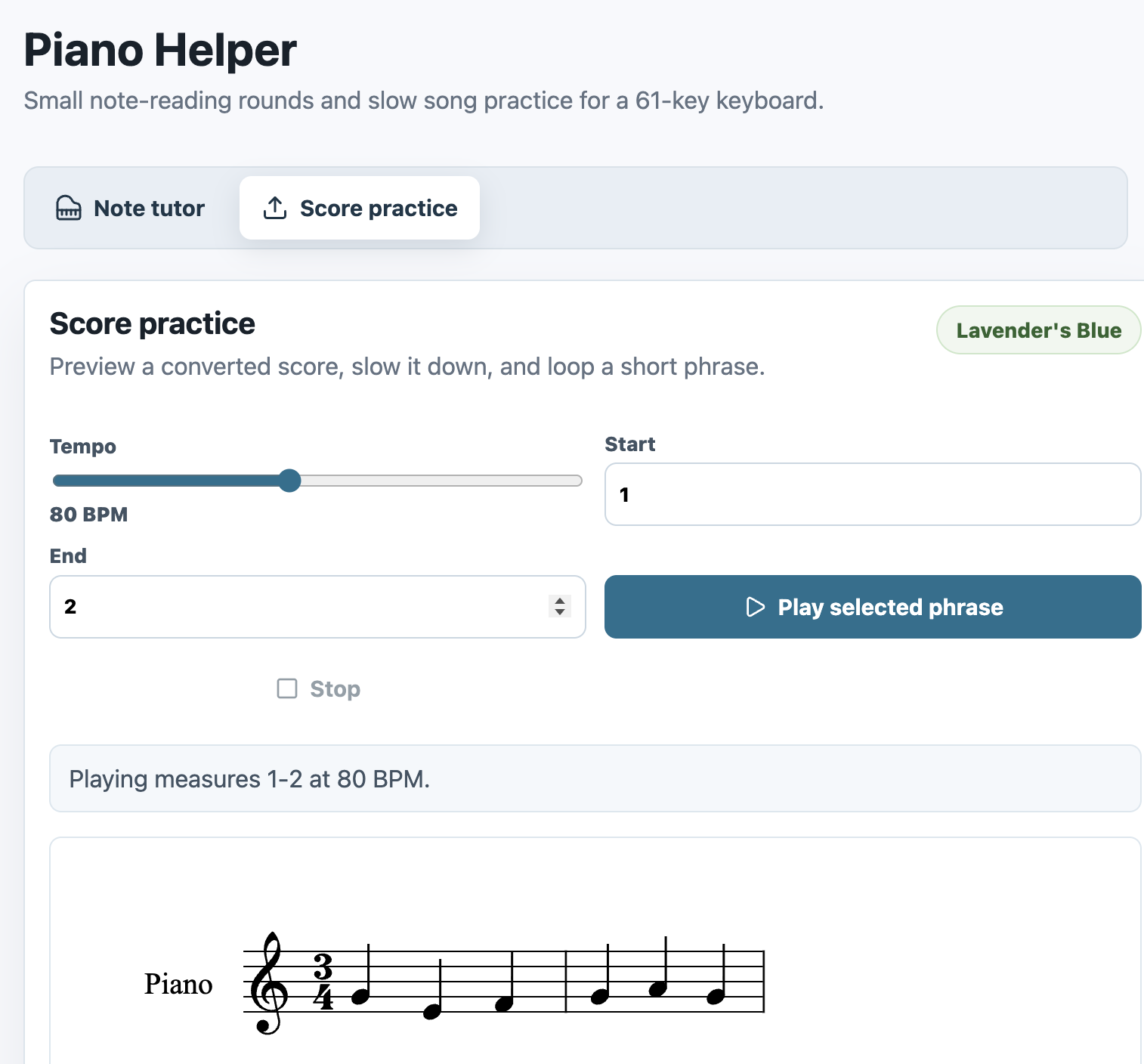
The score mode renders MusicXML, changes the tempo, loops selected measures, and supports local uploads. MusicXML and MIDI files can be previewed directly. PDF and image conversion depends on a separate Audiveris service.
What happened
The microphone was much less reliable than I expected. Browser audio and room noise can interrupt the exercise, so the app still needs calibration and an on-screen piano fallback.
The score mode worked better when it focused on one job: slow down a short phrase and repeat it until we could play it.
What I’d change
I would fix the upload flow before adding more practice content. Conversion status, unsupported files, and Audiveris setup are not clear enough yet.
I would also add a better child profile, more starter songs, and a way to save favorite practice loops.
How I built it
I built the note tutor first, then added score rendering, tempo controls, measure loops, and local uploads.
The interface uses React, Vite, and TypeScript. FastAPI runs the local backend, OpenSheetMusicDisplay renders notation, Tone.js handles playback, and Pitchy detects notes from the microphone.